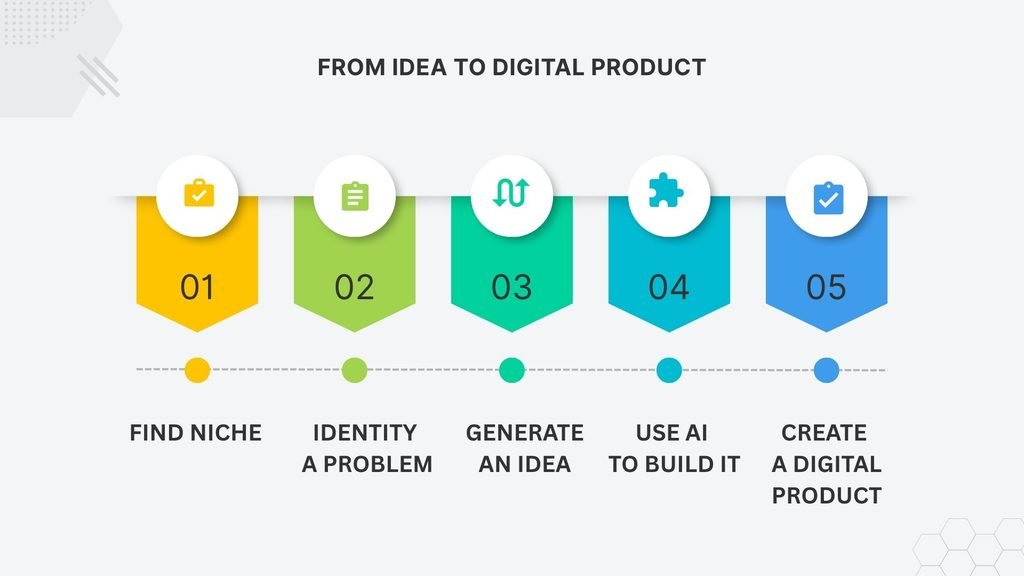
You found a niche.
You found a problem.
And now you have a product idea.
There is only one thing left to do:
Build it.
This is where things can suddenly feel a lot harder.
Coming up with a product idea might take 10 minutes with ChatGPT. Turning that idea into something people can actually use is a different story.
The good news is that you don’t need to be a designer, programmer, or professional writer to get started.
AI can help with much of the time consuming first draft work.
But there is an important distinction:
AI can help you build the product faster. It doesn’t make the product good for you.
Here is a simple workflow you can use to create your first digital product.
1. Start With the Simplest Useful Version
One of the easiest mistakes to make is trying to build too much.
If you’re creating a planner, you might start thinking about 30 different pages.
If you’re building a spreadsheet, you might want to add dashboards, charts, automation, and every feature you can think of.
Don’t.
Your first product doesn’t need to be impressive.
It needs to be useful.
For example:
| Instead of building… | Start with… |
|---|---|
| A complete business management system | A simple expense tracker |
| A 50 page productivity planner | A weekly planning template |
| A complete online course | A short practical guide |
| An advanced finance dashboard | A simple monthly budget sheet |
Think about the smallest version of your idea that solves the original problem.
You can always add more later.
2. Use ChatGPT to Build the First Draft
Once you know what you’re making, ChatGPT can help you get past the blank page.
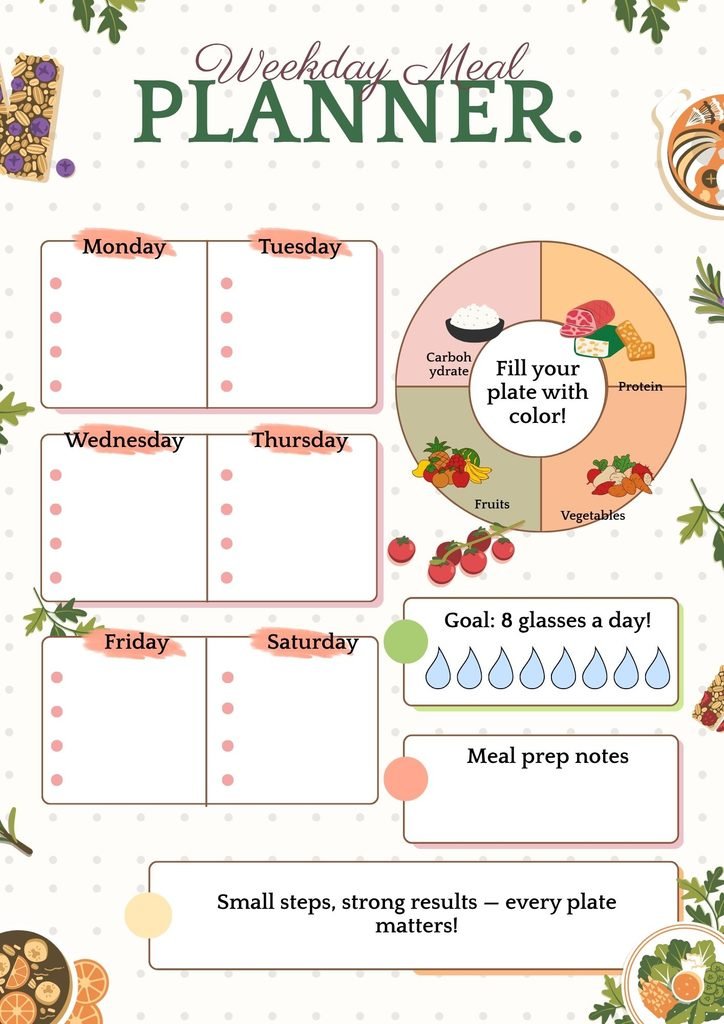
Let’s say you’ve decided to create a weekly meal planning template.
Instead of staring at a blank Canva page, you could start with a prompt like this:
I want to create a simple weekly meal planning template for busy professionals who want to save time planning meals and groceries. Suggest the essential sections this template should include. Keep it simple enough to fit on one or two pages and focus on practical everyday use.
The goal isn’t to copy the answer directly.
You’re using AI to create a starting point.
It might suggest sections such as:
- Weekly meal plan
- Grocery list
- Meals to prepare in advance
- Ingredients already available
- Notes
Now you have something to work with.
That’s much easier than starting with a completely blank page.
3. Turn the Draft Into a Real Product
This is the part that AI can’t completely do for you.
An AI generated outline might look good on screen, but that doesn’t mean it’s a good product.
Read through it and ask:
- Is anything unnecessary?
- Is anything missing?
- Would someone understand how to use it immediately?
- Is there too much information on one page?
- Does it actually solve the original problem?
This is where your own judgment matters.
For example, if the meal planner has five different sections but the user really only needs three, remove the extra sections.
A simpler product can often be a better product.
4. Choose the Right Tool
Once your content and structure are ready, choose a format that makes sense for the product.
You don’t need complicated software.
For PDFs and Printables
Canva is a practical option for planners, checklists, worksheets, and short guides.
You can take the structure you developed with AI and turn it into a clean, printable layout.
The important thing is not to make it overly decorative.
A product should be easy to use before it is beautiful.
For Spreadsheets
Google Sheets or Excel work well for trackers, calculators, budgets, and other products that involve numbers.
AI can also help you write formulas.
For example:
Write a Google Sheets formula that calculates whether an invoice is overdue based on the due date. Explain how the formula works and provide two example rows I can use to test it.
But don’t simply paste an AI generated formula into a product and assume it works.
Test it.
Try different dates and values and make sure the result is what you expect.
For Notion Templates
Notion can work well for dashboards, content planners, project management tools, and personal organization systems.
Again, start simple.
A clean five section template that someone actually understands is more useful than a complicated dashboard nobody wants to learn.
5. Give Your Product a Reality Check
Before thinking about selling anything, use your product yourself.
This is probably one of the most overlooked steps.
Imagine you’re selling a PDF planner.
Print it.
Fill it out.
See what feels awkward.
Maybe there isn’t enough writing space.
Maybe the instructions are confusing.
Maybe the order of the sections doesn’t make sense.
Fix those problems before a customer finds them.
For a spreadsheet, test things like:
- Entering normal values
- Entering unexpected values
- Checking formulas
- Sorting or filtering data
- Opening the file on different screen sizes
For a PDF:
- Check the page size
- Check the text
- Make sure nothing is cut off
- Make sure links work if you’ve included any
- Print a test copy if it’s designed for printing
This doesn’t have to take hours.
A quick test can catch problems that AI won’t notice.
6. Package the Product for Sale
Once your product works, prepare it for someone who has never seen it before.
A simple digital product package might include:
Main Product
Your actual PDF, spreadsheet, or template.
Quick Start Guide
A short PDF explaining how to use it.
Bonus File
Only if it genuinely adds value.
For example, a spreadsheet product might include:
Budget_Tracker.xlsx
and:
Quick_Start_Guide.pdf
If your product uses Google Sheets or Notion, you can provide instructions that help the buyer access or duplicate their own copy without changing your original template.
The goal is simple:
Someone should be able to buy the product and figure out what to do next without emailing you for basic instructions.
7. Decide Where to Sell It
Once the product is ready, you need somewhere to sell and deliver it.
For beginners, marketplaces such as Etsy can be a straightforward place to start because they already have shoppers searching for digital products.
Etsy allows sellers to offer original digital designs as digital downloads, including seller prompted AI creations. Etsy also requires sellers to disclose the use of AI for those AI creations.
Other options include platforms designed specifically for selling digital products, but they can work differently in terms of fees, traffic, and setup.
For now, the important thing is simply to understand the process:
Create → Package → List → Sell → Deliver
We’ll look more closely at where to sell your first digital product, including Etsy and other options, in a later article.
8. Don’t Try to Make It Perfect
This is probably the biggest trap for first time creators.
You make version one.
Then you notice the font.
So you change the font.
Then you change the colors.
Then you redesign the cover.
Then you add three more pages.
Then you realize you haven’t actually tested whether anyone wants it.
Don’t get stuck there.
Your first product is a test.
It doesn’t need to be your masterpiece.
A better approach is:
Build → Test → Publish → Learn → Improve
rather than:
Build → Perfect → Perfect → Perfect → Never Publish
A Simple AI Product Creation Workflow
Here’s the whole process in one place:
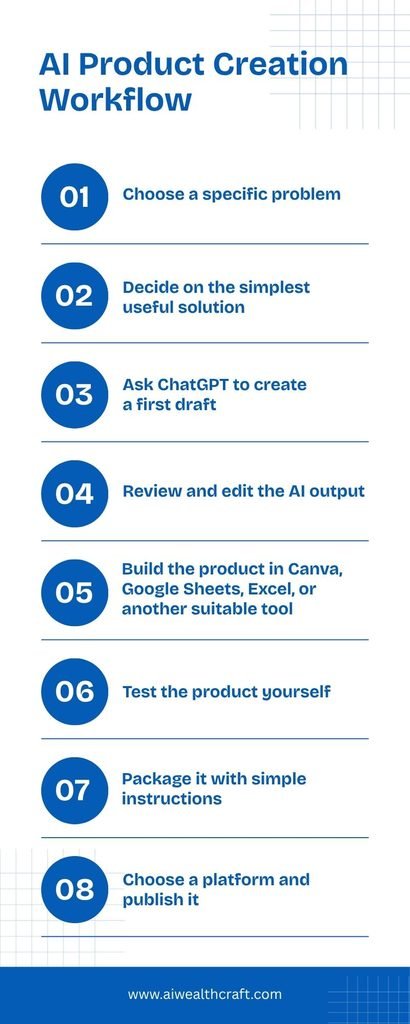
This is where AI can make a real difference.
It doesn’t remove all the work.
It removes some of the slowest parts of getting started.
What AI Should Do vs. What You Should Do
One way to think about AI is as a production assistant, not the person running the business.
| AI can help with | You should handle |
|---|---|
| Brainstorming | Choosing the best idea |
| Outlining | Deciding what belongs in the product |
| Drafting text | Checking accuracy and usefulness |
| Suggesting formulas | Testing formulas |
| Organizing information | Improving the user experience |
| Suggesting design ideas | Making the final design decisions |
This distinction matters.
If you let AI do everything, you can end up with something that looks finished but doesn’t solve the problem particularly well.
Final Thoughts
Creating your first digital product doesn’t have to be a huge project.
You don’t need a massive course, a complicated website, or a product with dozens of features.
Start with one specific problem.
Build the simplest useful solution you can.
Use AI to speed up the parts that take time, but don’t skip the parts that require your own judgment.
And most importantly, get the first version finished.
Because once you have something people can actually use, you can finally move on to the next question:
How do I get people to find it and buy it?
Next Article
How to Sell Your First Digital Product on Etsy
Creating the product is only half the process. Next, let’s look at what it actually takes to list and sell a digital product on Etsy.
1 thought on “How to Create Your First Digital Product Using AI”